WordPress sends a handful of plain-text emails around accounts: the new-user notice, the password reset, the email-change confirmation. They cannot be edited without code. FluentAuth lists them under Settings → System Emails, with an editor, a preview and a shared template.
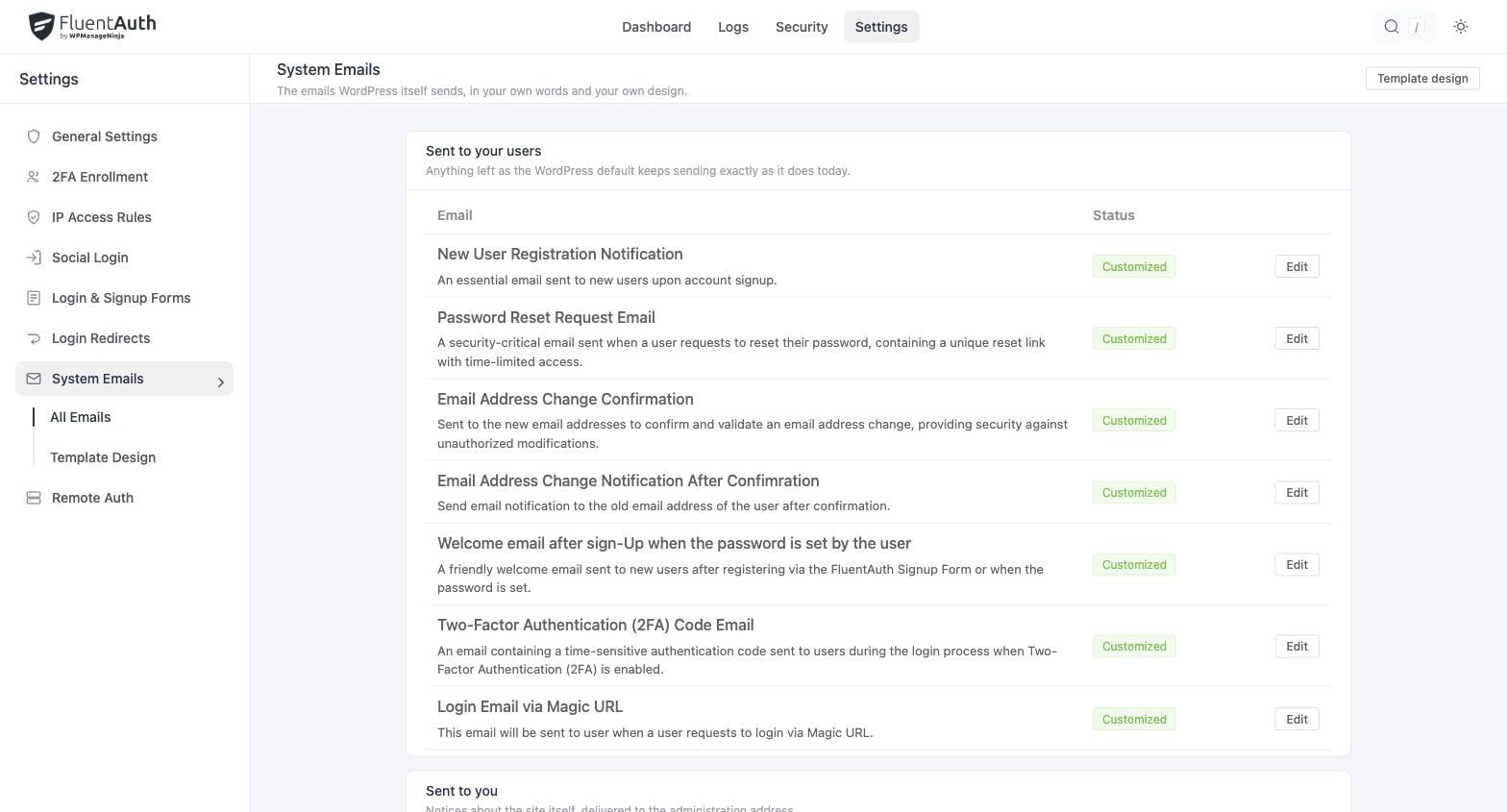
The emails
| Sent when | Can be disabled | |
|---|---|---|
| New user registration (to the user) | An account is created for them | |
| New user registration (to the admin) | Anyone registers | Yes |
| Password reset request | The user asks for a reset link | |
| Password change notification | A user’s password has been reset; goes to the admin | Yes |
| Email change confirmation | The user changes their address; goes to the new one | |
| Email changed notice | Same event; goes to the old address | |
| Welcome email | After signup, when the user sets their own password | Yes |
| Two-factor code | A login needs an emailed code | |
| Magic login link | The user asks for a link |
“Disable admin notification on signup” from older versions is the admin registration email’s Not sent status here.
Editing one
Click Edit. Each email has a Subject and a Body with a rich-text editor, a Preview that renders it for your own account, and Use the default text to go back to the original wording. What to send chooses between your own version, the WordPress default and, for the three that allow it, nothing at all. Save turns its status to Customized.
Smartcodes
Insert live values with the picker or by typing them:
| Smartcode | Value |
|---|---|
{{user.first_name}}, {{user.last_name}}, {{user.display_name}} | Names |
{{user.user_email}}, {{user.user_login}}, {{user.roles}} | Address, login name and roles |
##user.password_set_url## | Link to set a first password (new-user email) |
##user.password_reset_url## | Link to reset (reset email) |
##user.confirm_email_change_url## | Link to confirm (email-change email) |
##user.two_fa_code## | The code (two-factor email) |
##user.secure_signin_url## | The link (magic-login email) |
##user.profile_edit_url## | The user’s profile page |
{{site.name}}, {{site.description}}, {{site.admin_email}} | Site title, tagline and admin address |
##site.url##, ##site.login_url## | Site and login addresses |
Both bracket styles work. The picker beside the editor lists the codes each email accepts, including the one or two specific to it.
FluentCRM, when installed, adds its contact fields to the picker through the
fluentcrm_auth/email_smartcodes filter.
The template
Open Email design from the email list (or Template Design in the sidebar). The Email Design screen styles emails set to Your own: the page background and footer text, the message background and text, and the quoted blocks that hold details like a username or a link. Styles are inlined when the email is sent, so they survive Gmail and Outlook.
It also sets the From name, From address, Reply-to name and Reply-to address for customised WordPress emails and FluentAuth’s own mail. WordPress emails left at the default keep their built-in content. Delivery itself is still WordPress mail; pair with FluentSMTP or another SMTP plugin so they reach the inbox.
Testing
Preview renders with your account’s values. To see one land in a real inbox, register a test account or request a reset for it. The two-factor and magic-link emails can be triggered by signing in as a user whose role uses them.