← All features
IP access rules

Set boundaries around where accounts can sign in.

Block known addresses or ranges, manage attempt-limit exceptions and restrict selected roles by network.

Available in the current release. The expanded IP access rules screen arrived in 3.0.

How it works

How a role-based network restriction helps

This example follows a role restricted to selected networks.

your-site.com/wp-login.php

An administrator signs in

Role
Administrator
Visitor IP
198.51.100.24
The same role. Two networks.

A user reaches the login flow from a visitor address identified by the site.

Why it matters

Not every account needs to sign in from every network.

An internal editorial team may have different access needs from a public community. Known unwanted addresses and carefully defined team networks deserve distinct rules.

How it helps your site

Apply network boundaries deliberately.

Block rules restrict specified addresses or ranges. Separate role restrictions limit where selected roles can sign in. Allow rules only skip attempt limits, so they do not remove the need for two-factor authentication.

What you gain

Fit access rules to how your team works, without treating an address as proof of identity.

Get FluentAuth →
Inside FluentAuth

See the controls behind the experience.

Available in the current release. The expanded IP access rules screen arrived in 3.0.

Follow the setup guide →
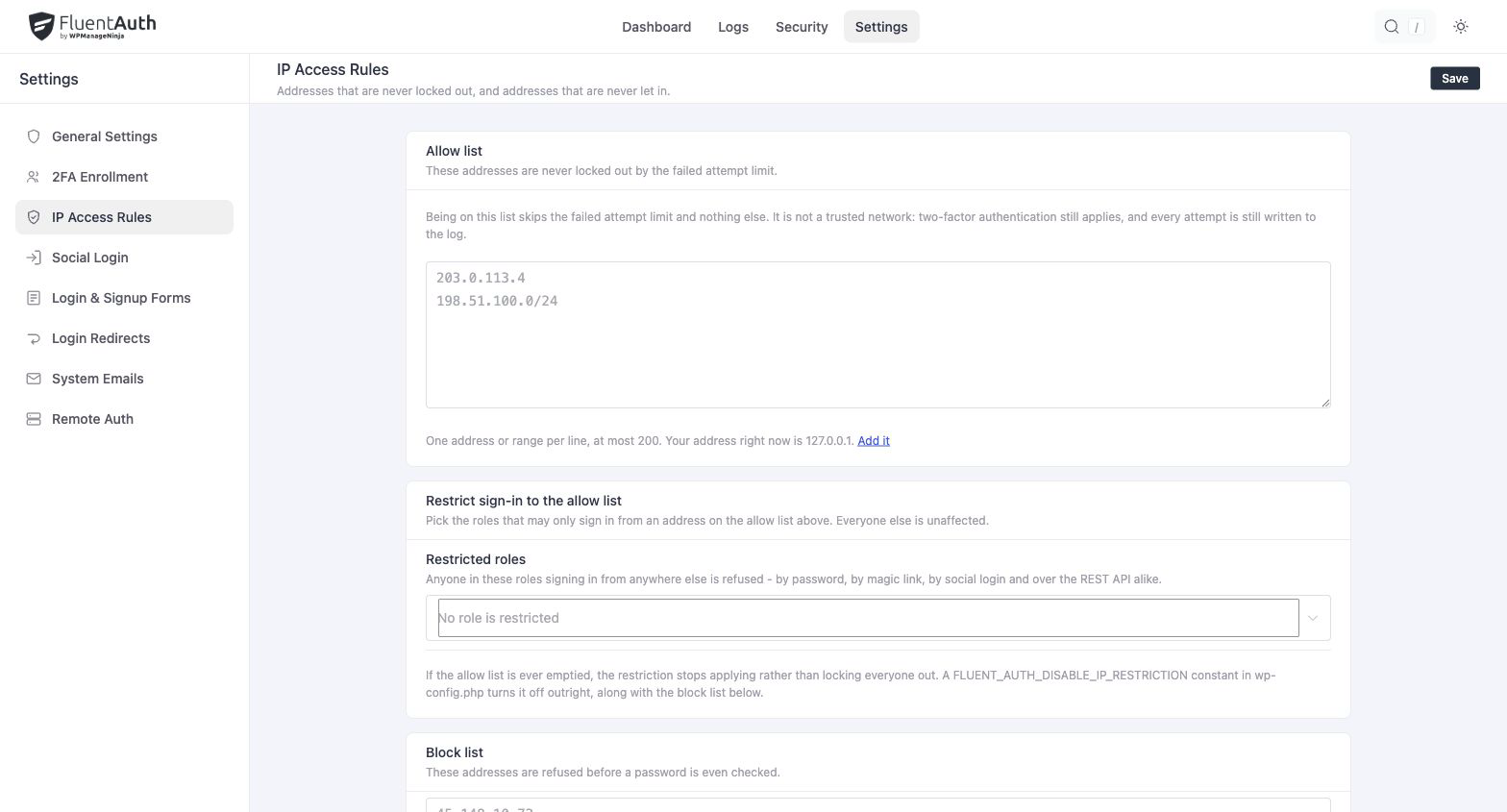
FluentAuth ip access rules settings and results on a local development site.
FluentAuth ip access rules settings and results on a local development site. Select the image to view it full size.

Three distinct jobs

  1. Use block rules for addresses or ranges you want to prevent from signing in.
  2. Use an allow rule when an address should skip the failed-attempt limit.
  3. Configure role restrictions separately when a role should only sign in from selected networks.

An allow rule is an attempt-limit exception. It does not automatically create a trusted network, grant role access or bypass two-factor authentication.

Plan for people working away from the office

Before restricting an administrator role, account for remote staff and changing network addresses. Test the intended allowed connection and keep a recovery route available in case the address changes.

What if my site uses a proxy or CDN?

Configure trusted proxies before relying on forwarded visitor IP addresses. A rule is only as useful as the address the site can reliably identify.

Give access rules a clear purpose.

Plan your team’s network policy and recovery route before applying role restrictions.