← All features
Custom system emails

Make account emails sound like your team.

Adjust supported WordPress account email templates with clear wording and branding for your users.

Available in the current release.

How it works

From an account event to a useful email

This example follows a supported password-reset email template.

your-site.com/wp-admin/email-templates

Choose an account email

Password reset
Selected
Other account emails
Available templates
From a template to a personal message

Select the account email you want to customise in FluentAuth.

Why it matters

Account emails should make the next action obvious.

An unclear reset or registration message can make a user unsure what to do or which site contacted them. Familiar wording helps them understand why the message arrived.

How it helps your site

Clarify sensitive account actions.

FluentAuth lets you edit supported email templates while keeping the required dynamic links and values. Clear copy can help users recognise expected account messages, but templates do not authenticate a sender or stop phishing by themselves.

What you gain

Give users a clearer path through account creation and recovery, in your own voice.

Get FluentAuth →
Inside FluentAuth

See the controls behind the experience.

Available in the current release.

Follow the setup guide →
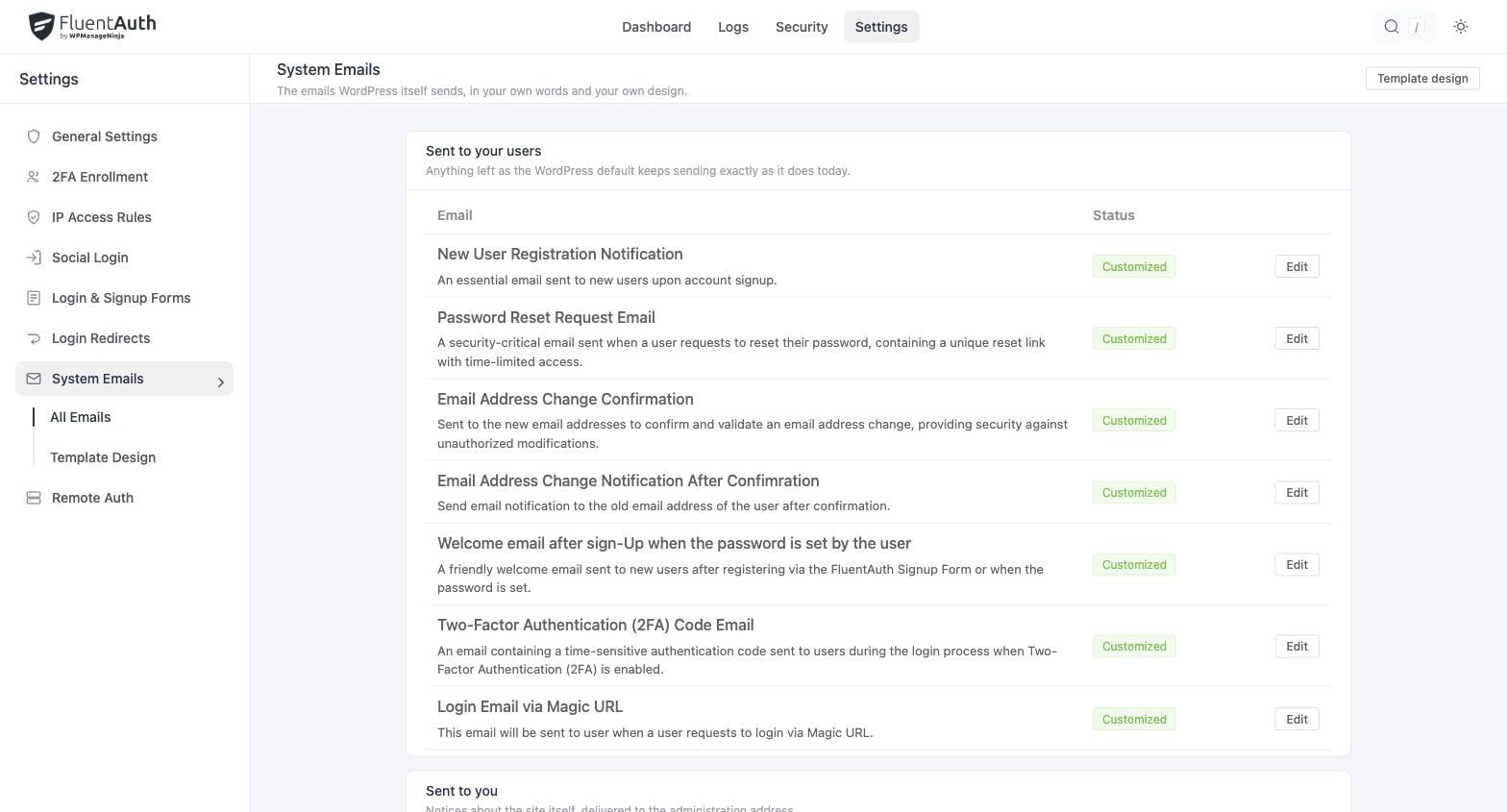
FluentAuth custom system emails settings and results on a local development site.
FluentAuth custom system emails settings and results on a local development site. Select the image to view it full size.

How to customise a template

  1. Choose a supported account email and review its default content.
  2. Edit the subject and body, keeping the required links and dynamic values intact.
  3. Send a test through the real account flow to check the wording and destination.

Use the placeholders shown by the editor. They insert account-specific details that should not be replaced with a single hard-coded name or URL.

Write for someone who needs to act

Explain why the email arrived, which site sent it and what the reader should do next. Keep the main action prominent and avoid adding unrelated promotional content to a recovery message.

Does editing a template improve email delivery?

Templates control content. Delivery still depends on WordPress mail and your sending configuration. Test the message in an inbox and confirm its links work; investigate SMTP or sender configuration separately if messages do not arrive.

Make your account emails as clear as your site.

Personalise the supported templates and test a real account flow from inbox to completion.