Magic login replaces “type your password” with “click the link we just sent you”. For sites with customers, members or students, it removes the password-reset dance that is most sites’ biggest source of support tickets.
Settings
Under Settings → General Settings → Magic Login:
| Setting | Meaning |
|---|---|
| Enable magic login | On or off; the role and display options appear when enabled |
| Roles that cannot use it | Roles that are never offered a magic link. Add Administrator here if you want admins to always use a password and a second factor |
| Show the link form first | Show the magic-link form first on wp-login.php, with the password form behind a link |
How it works
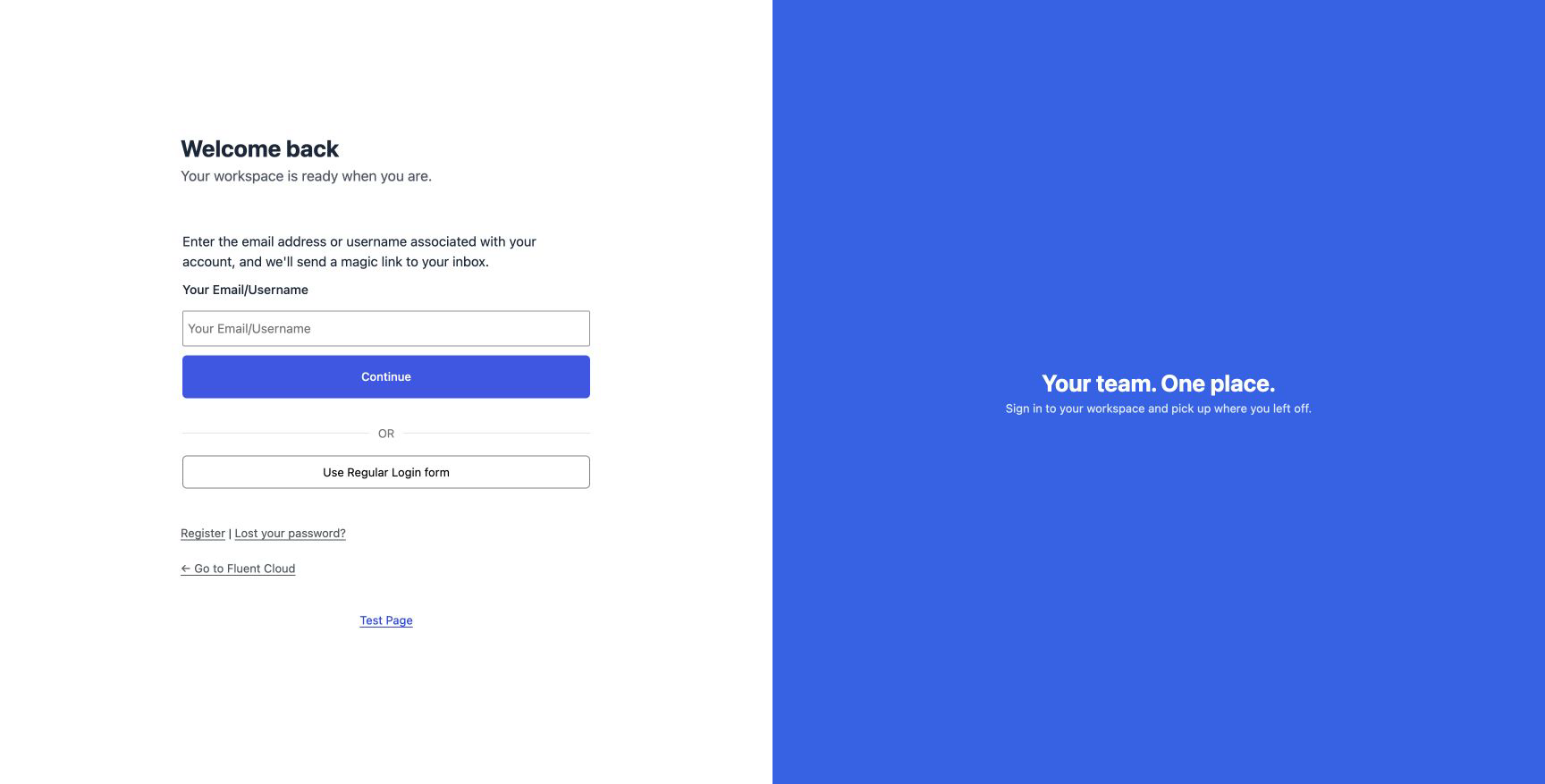
- From the password form, select Login Via Magic URL. The user types their username or email address and selects Continue.
- If the account exists and its role is allowed, an email goes out with a link. The response is the same whether or not the account exists, so the form cannot be used to check which addresses are registered.
- The link is valid for ten minutes and works once. The token in the link is stored hashed, so a copy of the database does not contain usable links.
- Clicking it signs the user in and sends them to the page they were heading for, or to their login redirect.
Requests are rate-limited per address, and every magic-link login appears in the audit log with method Magic link.
Where the form appears
- On
wp-login.php, below the password form, or in front of it when primary. - Anywhere you place the shortcode:
[fluent_auth_magic_login]
  <h3>Sign in with a link</h3>
[/fluent_auth_magic_login]
The content between the tags is the heading above the form.
Does it bypass two-factor?
No. A magic link proves control of the email address, the same thing an emailed code proves, so a user whose role requires an email code is not asked for one again. A user whose role requires an authenticator code is still asked for it after clicking the link.
The email
The text of the email is one of the system emails you can rewrite. The
link itself is inserted with the ##user.secure_signin_url## smartcode.
For developers
Generate a link for a user from code, for a “sign in on this device” button or a support tool:
// A sign-in link valid for 15 minutes.
$token = apply_filters('fluent_auth/login_token_by_user_id', '', $user_id, 15);
$link  = $token ? add_query_arg('fls_al', $token, site_url('index.php')) : '';
The filter returns a single-use token, not a finished URL, so put it in the fls_al query
argument as above. It returns an empty string when magic login is switched off or the user does
not exist, which is worth checking before you email anybody a link to nowhere.
fluent_auth/login_token_by_user_email does the same by address. fluent_auth/magic_login_can_use
decides per user whether the feature is available, and fluent_auth/default_token_validity
changes the default lifetime.