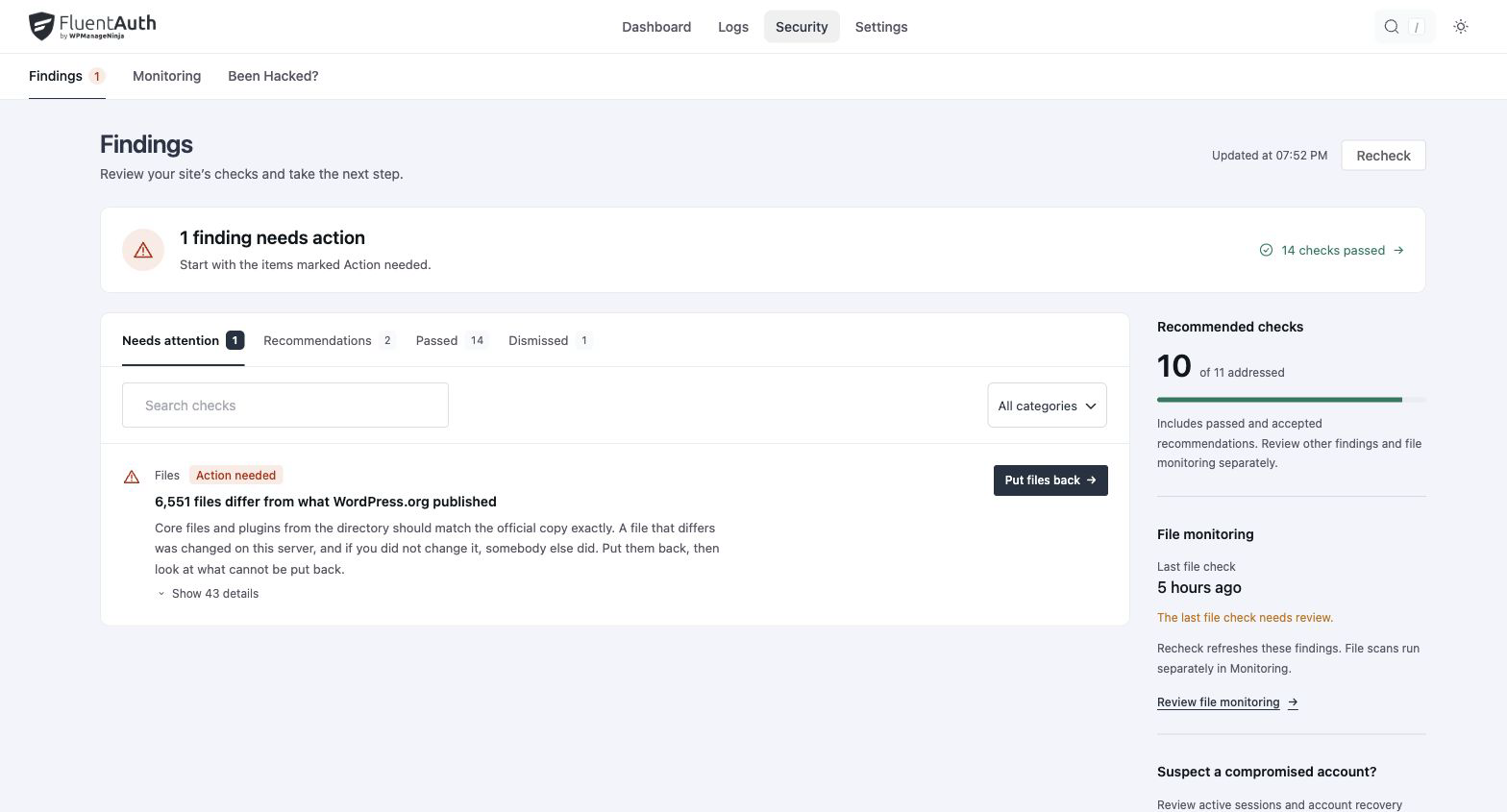
Security → Findings is the answer to “is this site in good shape?”, as a short list rather than a score. Each finding is one thing to fix, one sentence on why, and one button.
What it checks
Findings come from two kinds of check.
Your settings, the recommended set from Core security and two-factor: is two-factor on for high-level roles, is XML-RPC blocked, is the REST user list closed, and is signup verification on. Each of these carries its own Turn on button.
To set the whole recommended group at once, use Apply recommended on the settings screen. It fills the fields in and leaves them for you to review and save, rather than writing anything behind your back, and it covers more than the findings do: login limits, log retention, alert roles and address, and the two-factor methods.
The site itself:
| Check | Looks for |
|---|---|
| Must-use plugins | Files in mu-plugins that were not there at the last baseline |
| Drop-ins | New or changed object-cache.php, advanced-cache.php, db.php and friends |
| PHP in uploads | Whether the server will execute a PHP file in wp-content/uploads, tested with a real request. Block it writes the rule, then tests again and tells you whether your server actually obeyed it |
| Backup files | Downloadable .sql, .zip, .tar.gz backups sitting in the web root |
| File editor | DISALLOW_FILE_EDIT not set, so an admin account can edit PHP from the dashboard |
| Debug output | Errors displayed to visitors |
| HTTPS | The site served over http |
| Authenticator secrets | Whether they are encrypted, and whether the key still reads the ones you have |
| Guessable admin usernames | Administrators named admin, administrator, root, webmaster or test |
| Dormant administrators | Administrator accounts unused for a year. It stays quiet until your log is old enough to judge that, rather than accusing a fresh install |
| Hidden users | Accounts in the database that the Users screen does not show, and the file doing the hiding |
| Core, plugins, themes | Changes since the official copy or your baseline; the integrity scanner |
Severity
| Marked | Meaning |
|---|---|
| Action needed | Something is exposed now |
| Review | Worth a decision; may be fine for your site |
| Recommendation | A suggestion with no exposure behind it |
Putting a finding aside
Some findings are right for one site and wrong for another: a staging site over http, a
deliberate db.php drop-in. Two buttons, and the difference matters.
Mark as expected records the current state as the one you want. The check keeps running and
speaks up when that state changes, so a new file in mu-plugins is still news. The file checks
work this way: must-use plugins, drop-ins, hidden users and the baseline.
Dismiss stops the finding being reported at all while it is dismissed. Everything else uses this one, including HTTPS, backup files, admin usernames and the settings recommendations. It does not fix anything, and the Dismissed tab brings it back.
The score
The aside counts recommended checks addressed out of the total. Dismissed findings come out of both sides of the fraction, so putting something aside does not move the score up or down; it makes the score about the things you have not decided yet. The Passed tab lists what came back clean, so the number is checkable rather than a claim.
For developers
fluent_auth/security_checks filters the registry, so a host or agency plugin can add its own
checks with the same title, why, severity and action shape. A check that can fix itself
declares a fix action; one that points somewhere declares navigate. Related filters set the
guessable username list, the dormant-administrator window and the backup-file patterns; see
Hooks and filters.