CustomerRole matched ✓
After login
/my-account/After logout
/shop/MemberRole matched ✓
After login
/members/After logout
/Jamie is a customer. Select Log in to follow the customer’s journey.
Choose login and logout destinations by role, with a default for everyone else.
Available in the current release.
A customer goes to their account. A member goes to their member area. Watch where each person lands after logging in and out.
Sign in to your WordPress site.
Your account is verified. Checking its role.
Welcome back, Jamie.
Welcome back, Alex.
You’re logged out and back at the shop.
You’re logged out and back on the homepage.
/my-account//shop//members//Jamie is a customer. Select Log in to follow the customer’s journey.
A student needs a course area. An editor needs a workspace. Sending everyone to the same default screen adds another detour and can make a member feel lost.
FluentAuth selects destinations using your redirect rules. Users still need the appropriate permissions at the destination. A redirect improves the journey; it does not prevent someone from visiting another URL directly.
Help each role get to work sooner, with a sensible fallback for everyone else.
Get FluentAuth →Available in the current release.
Follow the setup guide →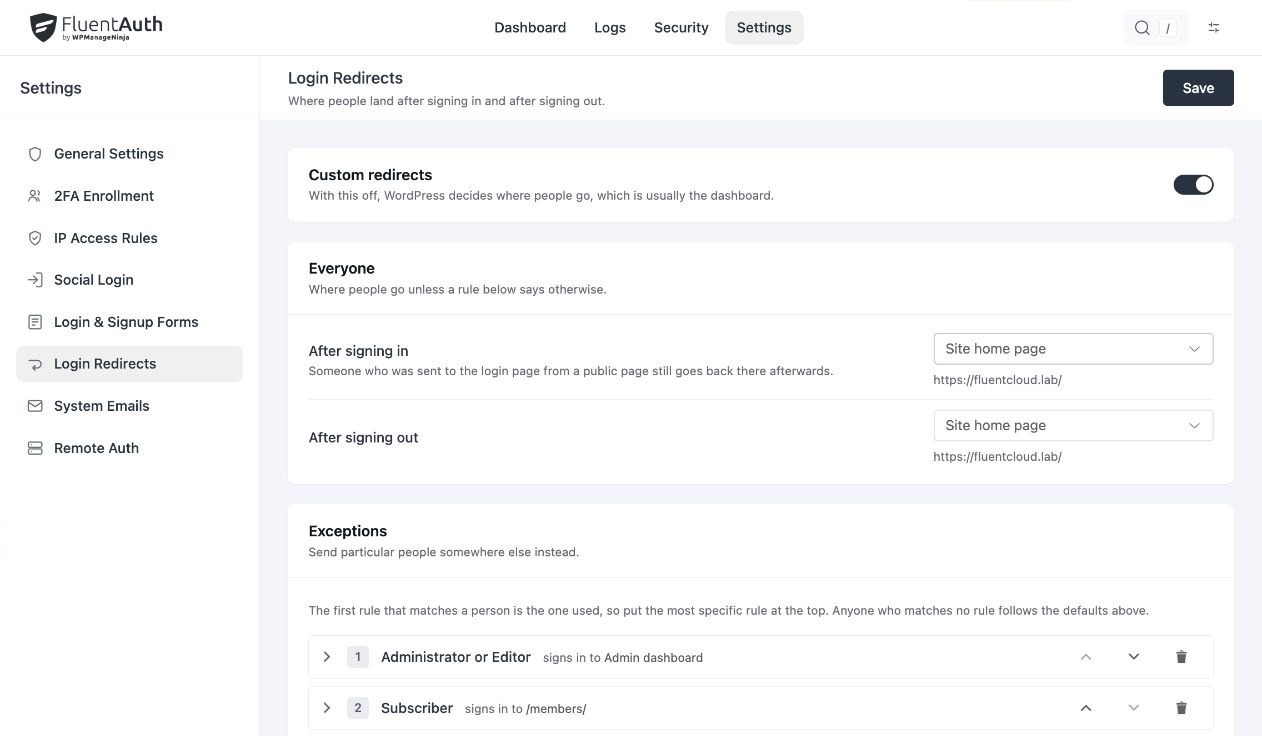
Review the order when someone has more than one role. A sensible default keeps new or unexpected roles from reaching an unsuitable page.
Choose role → Subscriber under Who it applies to. Then choose Somewhere else… under After signing in and enter /members/. Leave After signing out at Use the default to inherit the destination set for Everyone.
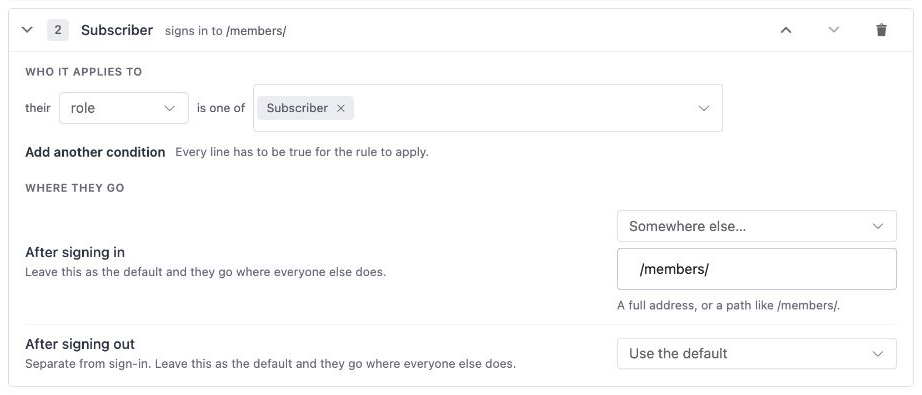
Multiple roles on one condition line mean any of them can match. Add another condition narrows the rule: every line must be true. Put staff rules first if they should take priority over a member rule.
Follow the complete setup example, including defaults, rule order and testing.
Send students to their course area, clients to their account and staff to their workspace. Test with representative accounts, including the logout journey, rather than checking only with an administrator.
A redirect chooses a destination. The destination still needs its own access controls. Membership rules and WordPress capabilities remain responsible for deciding what a user may see or change.
Custom forms can also provide a redirect destination. Check that choice alongside your global rules when debugging a route.
Set login and logout destinations, then test with the roles your site actually uses.