← All features
Login page designer

Make the first screen feel like your site.

Use your own logo, colours, background and welcome copy on the WordPress login and signup experience.

Available in the current release. Screenshots show the redesigned 3.0 admin.

How it works

From your brand to a familiar welcome

A simple design workflow for a member or client login page.

Login designer · preview
Default appearance

Your site

Username
Enter your username
Password
Enter your password
Watch the login page become yours

Choose a logo, colours and a background that connect the form to your site.

Why it matters

The login page is part of the experience people remember.

A generic or unfamiliar screen can make a member hesitate just when they are ready to enter. Recognisable branding and clear instructions help connect sign-in to the site they came to use.

How it helps your site

Improve the welcome while keeping the login controls.

The designer changes presentation, not the need to verify an account. Your enabled sign-in methods and verification policies remain responsible for protection. Branding helps orientation; it is not an anti-phishing control by itself.

What you gain

Welcome users with your own identity and language, without rebuilding the login journey from scratch.

Get FluentAuth →
Inside FluentAuth

See the controls behind the experience.

Available in the current release. Screenshots show the redesigned 3.0 admin.

Follow the setup guide →
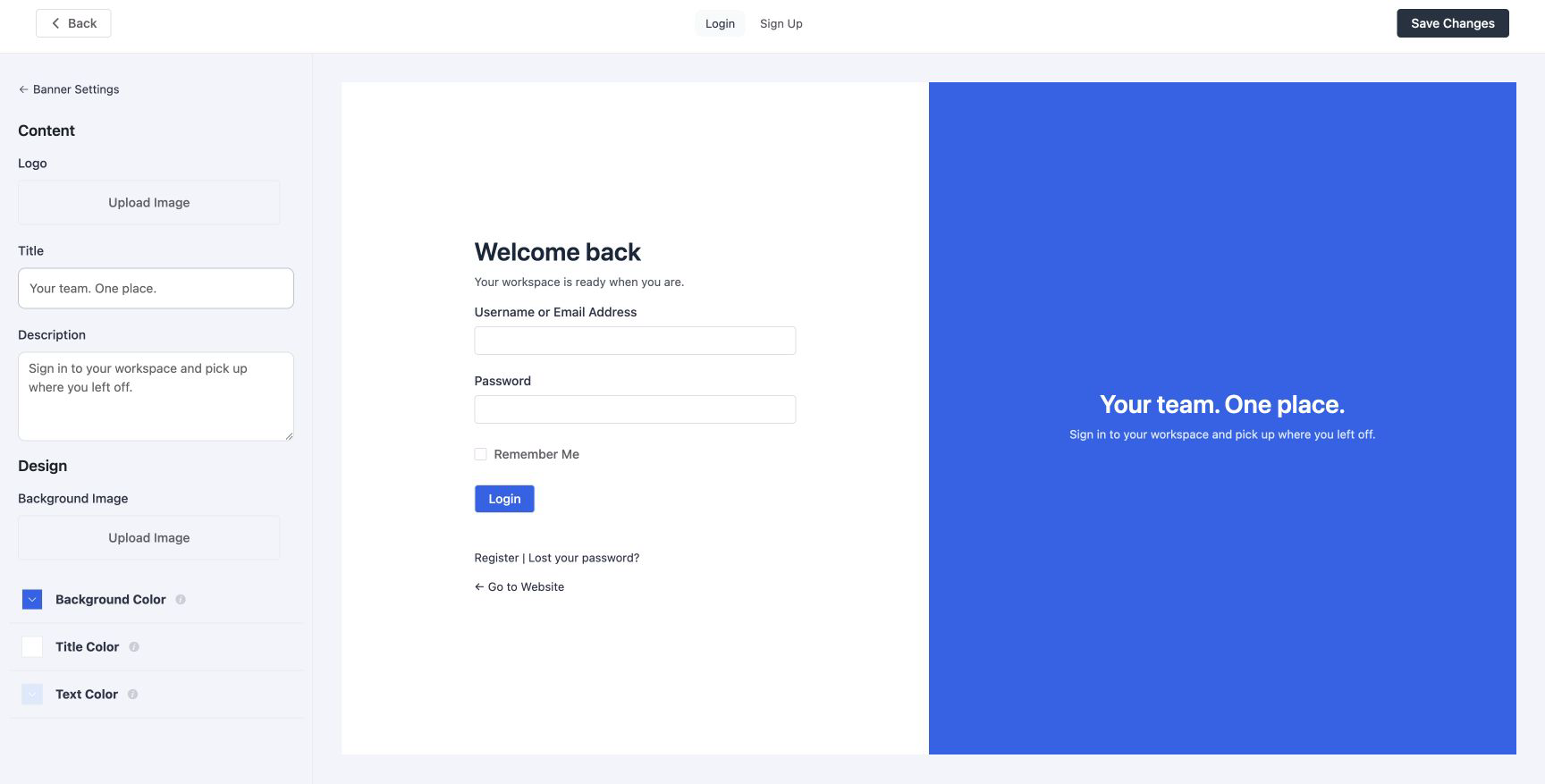
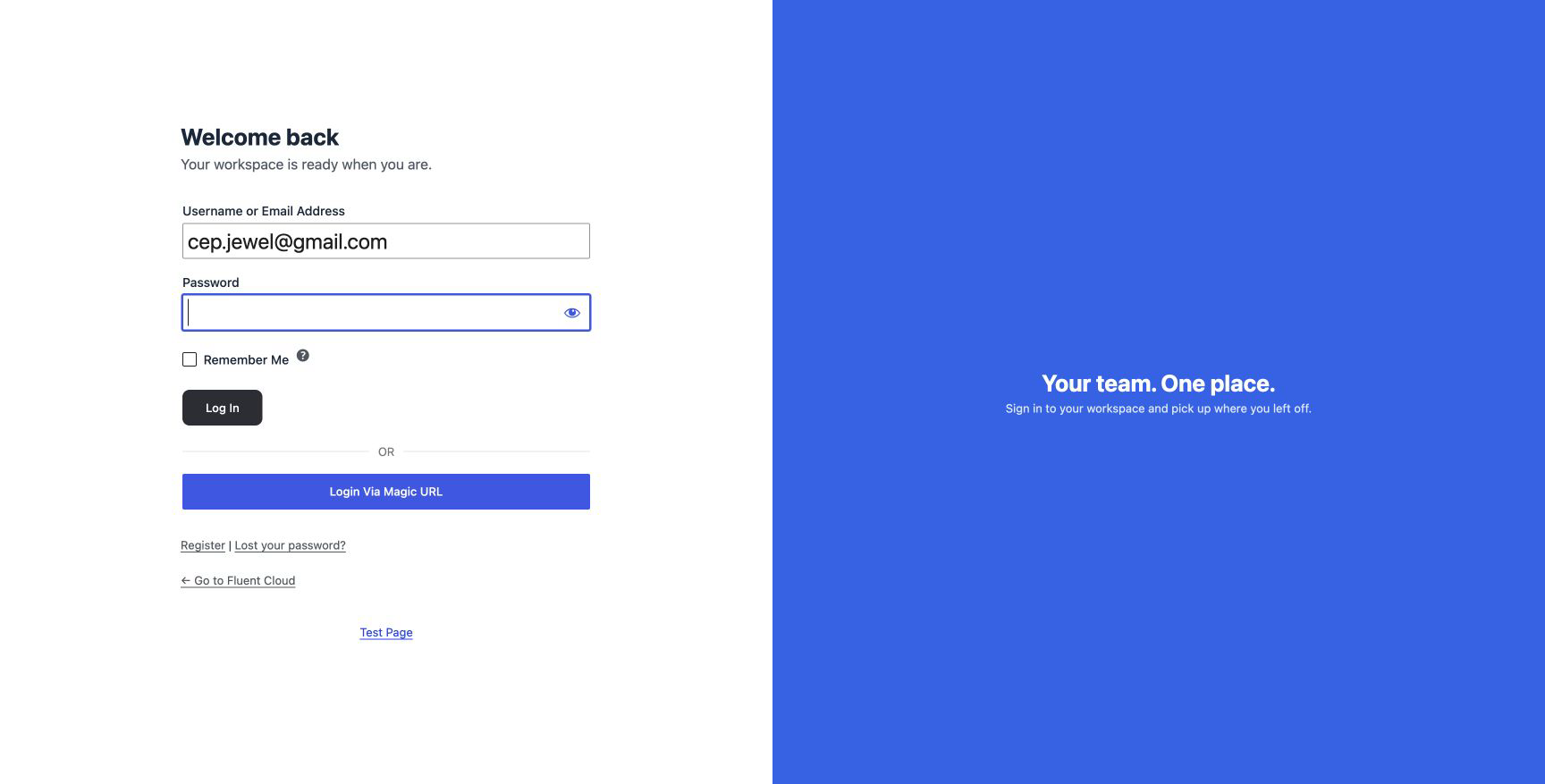
FluentAuth login page designer settings and results on a local development site.
FluentAuth login page designer settings and results on a local development site. Select the image to view it full size.

How to make it yours

  1. Add your logo and choose the form colours and background.
  2. Adjust the banner, labels and welcome copy for your audience.
  3. Preview the result, save it and test the actual login, signup and password-reset screens.

The preview helps with composition. The real front-end check confirms how the page behaves with your enabled sign-in methods and theme.

Match the journey after sign-in

A branded welcome works best when the next page makes sense too. Pair the designer with role-based redirects so a member reaches their account and an editor reaches their workspace.

Can I put the form inside a page builder layout?

Use the custom forms feature to embed login and signup forms on your own pages. The designer styles the dedicated login experience; shortcodes let the surrounding page remain part of your site design.

Make sign-in feel like part of your site.

Open the designer, add your branding and test the full journey with your enabled login methods.