This example uses your configured threshold and block duration. It does not assume one universal setting fits every site.
● ● ●your-site.com/wp-login.php
Attempt 1
A password guess
Same address · 192.0.2.24
Username
admin
Password
••••••••
● ● ●your-site.com/wp-login.php
Incorrect credentials
Username
admin
Password
••••••••
Failed attempts
1 / 3
The password was rejected. The failure is counted.
● ● ●your-site.com/wp-login.php
Attempt 2
Another guess
Username
admin
Password
••••••••••
Failed attempts
1 / 3
● ● ●your-site.com/wp-login.php
Still incorrect
Attempt 1
Failed
Attempt 2
Failed
Failed attempts
2 / 3
Failures from this address add up within the configured window.
● ● ●your-site.com/wp-login.php
Attempt 3
One more guess
Username
admin
Password
•••••••
Failed attempts
2 / 3
● ● ●your-site.com/wp-login.php
Too many failed attempts
Failed attempts
3 / 3
192.0.2.24
Temporarily blocked
Try again after
15 minutes
The threshold has been reached. This address cannot keep guessing.
● ● ●your-site.com/wp-admin/activity
Block active
The next attempt is blocked
Attempt 1
Failed
Attempt 2
Failed
Attempt 3
Limit reached
Attempt 4
Blocked
Attempt 5
Blocked
Further attempts are refused during the block window. Review the activity in your log.
Repeated guesses, interrupted
Someone submits credentials that WordPress does not accept.
FluentAuth counts failures from that IP address within the configured window.
Once the address reaches your threshold, the configured restriction takes effect.
Further attempts are blocked for that window. You can review the event in the log and receive an alert if enabled.
Why it matters
Password guessing needs a stopping point.
An automated script can try the login form repeatedly. Without a limit, the same address can keep testing guesses while your team has little reason to notice.
How it helps your site
Interrupt repeated failures.
FluentAuth counts failed attempts from an address and applies the block window you choose. It slows repeated guesses from that address and leaves an activity trail for review. Distributed attempts still need other protections, including two-factor authentication.
What you gain
Let real users retry a mistake while putting a clear boundary around repeated failures.
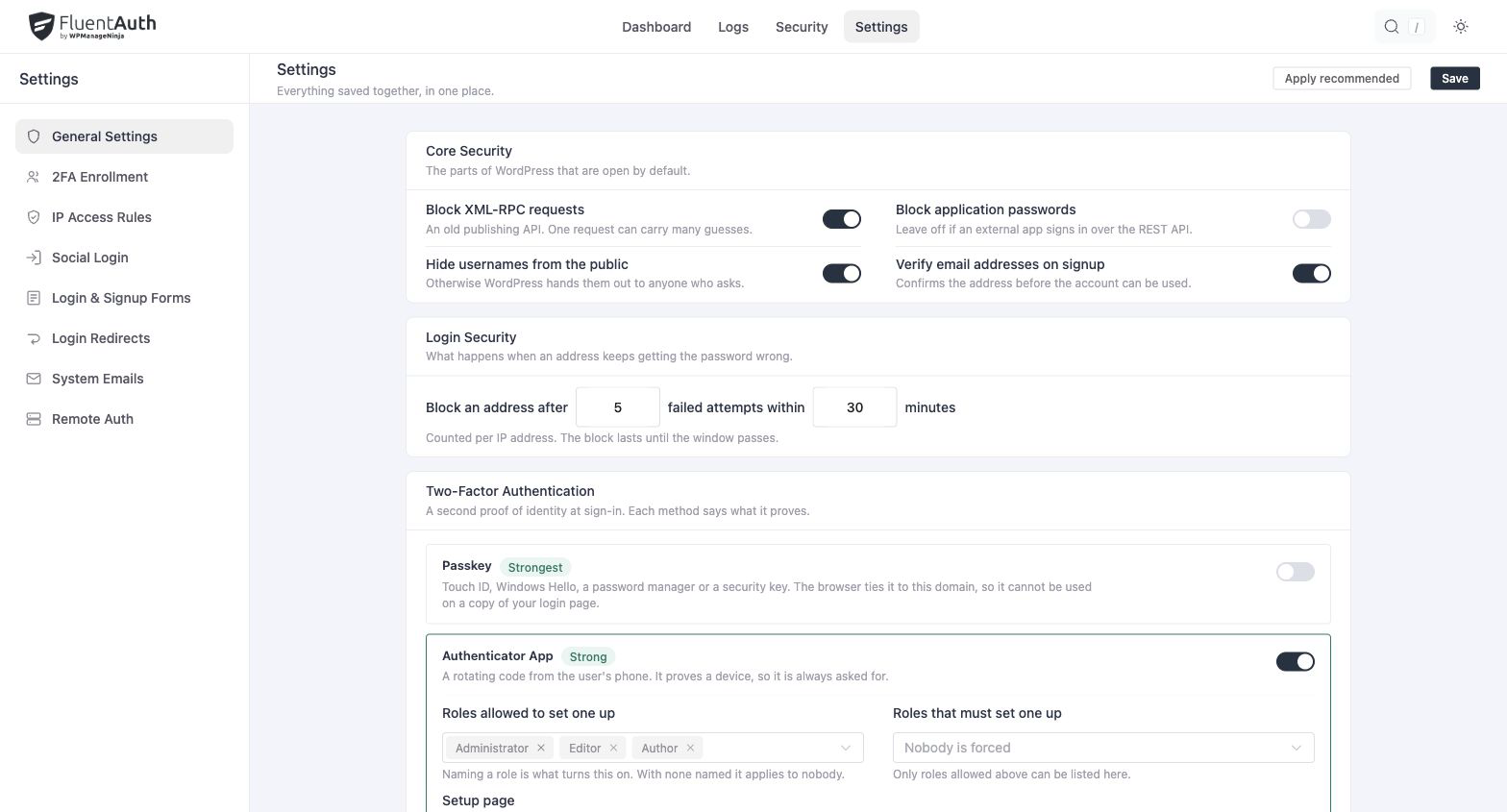
FluentAuth limit login attempts settings and results on a local development site. Select the image to view it full size.
How attempt limits work
Set the allowed number of failed attempts and the time window.
Choose how long an address stays blocked after reaching the limit.
Review failed and blocked activity in the audit log, and enable block alerts if useful.
Start with settings that leave room for genuine mistakes. Shared office or mobile networks can put several users behind one address, so review actual activity before making the policy stricter.
Pair limits with account verification
Attempt limits address repeated guesses from an address. Two-factor authentication adds protection when someone already has the correct password. These controls serve different purposes and work well together.
Can an office address skip the limit?
An allow rule can exempt an address from the attempt limit. It does not exempt that address from two-factor authentication. Sites behind a proxy must configure trusted proxies correctly before relying on forwarded visitor addresses.