← All features
WordPress hardening

Reduce access your site does not need.

Review XML-RPC, application passwords, public username exposure and dashboard access in one settings area.

Available in the current release.

How it works

From a default setting to a deliberate choice

A practical review of supported hardening controls.

your-site.com/wp-admin/hardening

Review XML-RPC access

Restrict XML-RPC
Off

Some publishing tools and integrations rely on this interface.

Review a setting. See its effect.

Read what the WordPress feature exposes and how your site currently uses it.

Why it matters

Access your site does not use can still deserve a review.

Default interfaces and account behaviours may stay enabled long after the site’s needs are clear. Reviewing them helps you decide which access paths and exposed information are actually necessary.

How it helps your site

Reduce specific, unnecessary exposure.

FluentAuth provides supported controls for XML-RPC, application passwords, public usernames and dashboard access. Applying the right controls can reduce those particular risks. Check integrations first so a protection does not interrupt a legitimate workflow.

What you gain

Keep useful WordPress features and deliberately restrict the ones your site does not need.

Get FluentAuth →
Inside FluentAuth

See the controls behind the experience.

Available in the current release.

Follow the setup guide →
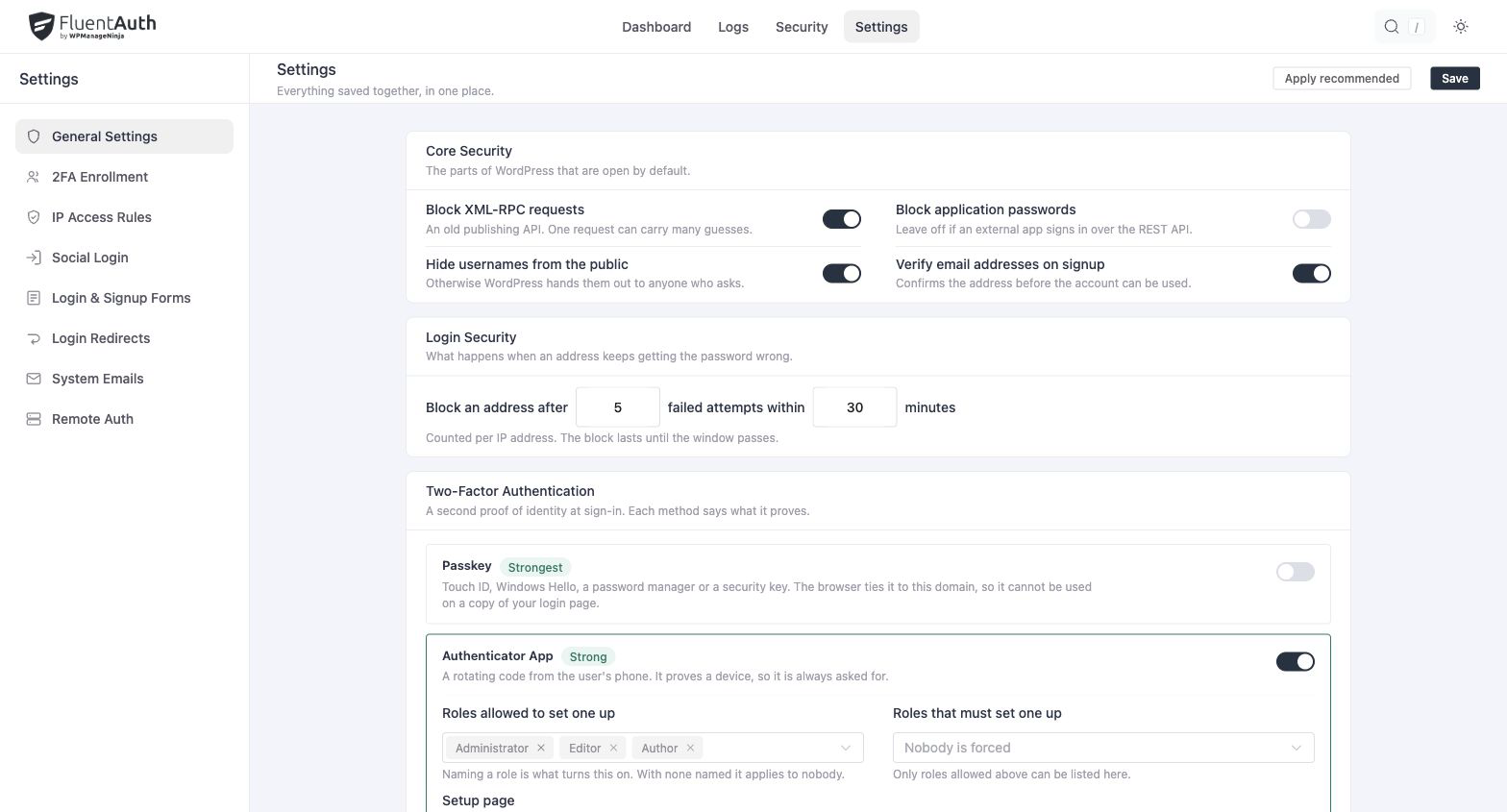
FluentAuth wordpress hardening settings and results on a local development site.
FluentAuth wordpress hardening settings and results on a local development site. Select the image to view it full size.

How to review the settings

  1. Check the explanation beside each control and identify any tools that depend on it.
  2. Enable the protections that fit your site.
  3. Test connected publishing tools, integrations and account flows after saving.

For example, restricting application passwords can affect an integration that uses them. Limiting dashboard access should be tested with the roles you intend to keep on the front end.

A focused review after launching a site

When a site moves from development to regular use, review which accounts and interfaces remain necessary. Combine these settings with login limits and role-based verification for a more complete login policy.

Is hardening a firewall?

No. These settings control supported WordPress behaviours. FluentAuth does not provide a web application firewall, and hardening does not replace updates, backups or protection supplied by your host.

Make WordPress defaults fit your site.

Review your hardening settings alongside login limits and role-based verification.