The default WordPress login page is fine for you and wrong for your customers. The designer gives the login and signup pages a two-panel layout, a banner with your logo and message, and your colours, with a live preview and no CSS.
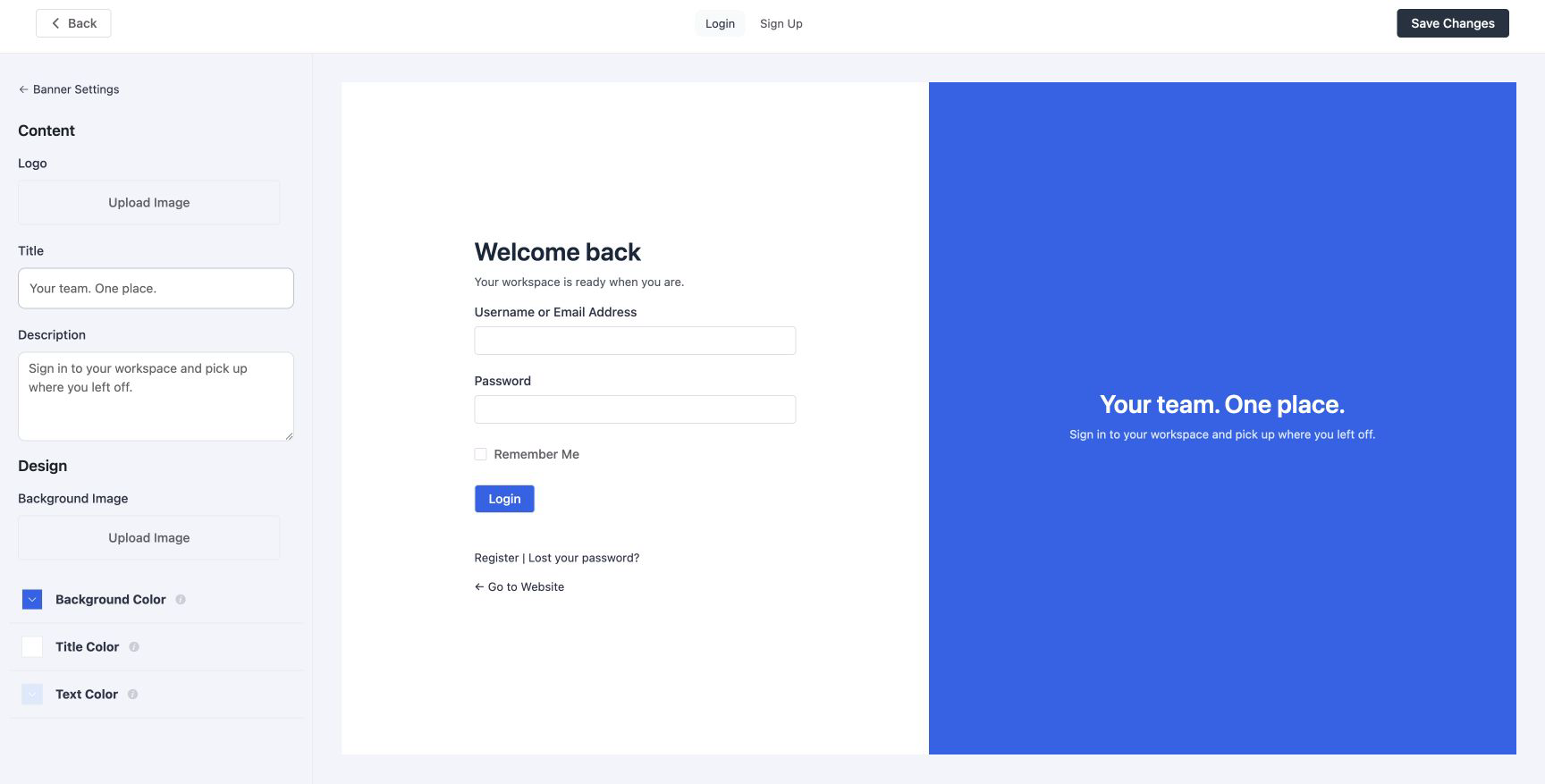
Turning it on
Under Settings → Login & Signup Forms, turn on Login page design and select Open the designer. Switching it off restores the stock WordPress page immediately; your design is kept for next time.
Two pages, two panels
The designer has a tab each for Login and Sign up, and each page lists Banner and Form. Open Banner to edit the Side panel controls.
Side panel
| Setting | Meaning |
|---|---|
| Swap sides | Move the side panel to the other side of the form |
| Show the side panel / Hide the side panel | Control whether the panel appears |
| Logo | Uploaded from the media library |
| Title, description | The welcome copy. Defaults to the site title and tagline |
| Title colour, text colour | For the copy |
| Background image, background colour | The image sits over the colour; leave the image empty for a flat panel |
Form
| Setting | Meaning |
|---|---|
| Swap sides | Move the form to the other side of the side panel |
| Title, description | Above the fields |
| Background colour, title colour, text colour | The form panel and its copy |
| Button background, button text colour | The submit button colours |
What is kept
The designer changes the page around the form, not the form. Everything WordPress and other plugins add to the login form (the remember-me box, the lost-password link, FluentAuth’s own social buttons and magic-link form, another plugin’s captcha) still renders. Password reset and the interim login modal use the same design.
On a phone
Check the login and signup pages at mobile widths. The banner and form adapt to the smaller screen, and background images may be cropped. Test with your actual logo; a wide wordmark reads better than a square mark at that size.
CSS
If you want to go beyond the settings, the page is wrapped in .fls_login_page_wrap with
two modifier classes: .fls_form_type_{type} (login, register, lostpassword) and
.fls_layout_banner_{position} (left or right). Inside, the banner is
.fls_login_cusom_content_wrap (the spelling is the plugin’s; match it) and the form column is
.fls_login_form_wrap with .fls_login_header above the fields. The
fluent_auth/extra_login_page_wrap_css_class filter adds classes of your own to the outer
wrapper. Load a stylesheet on the login_enqueue_scripts hook as usual.
Check the live page
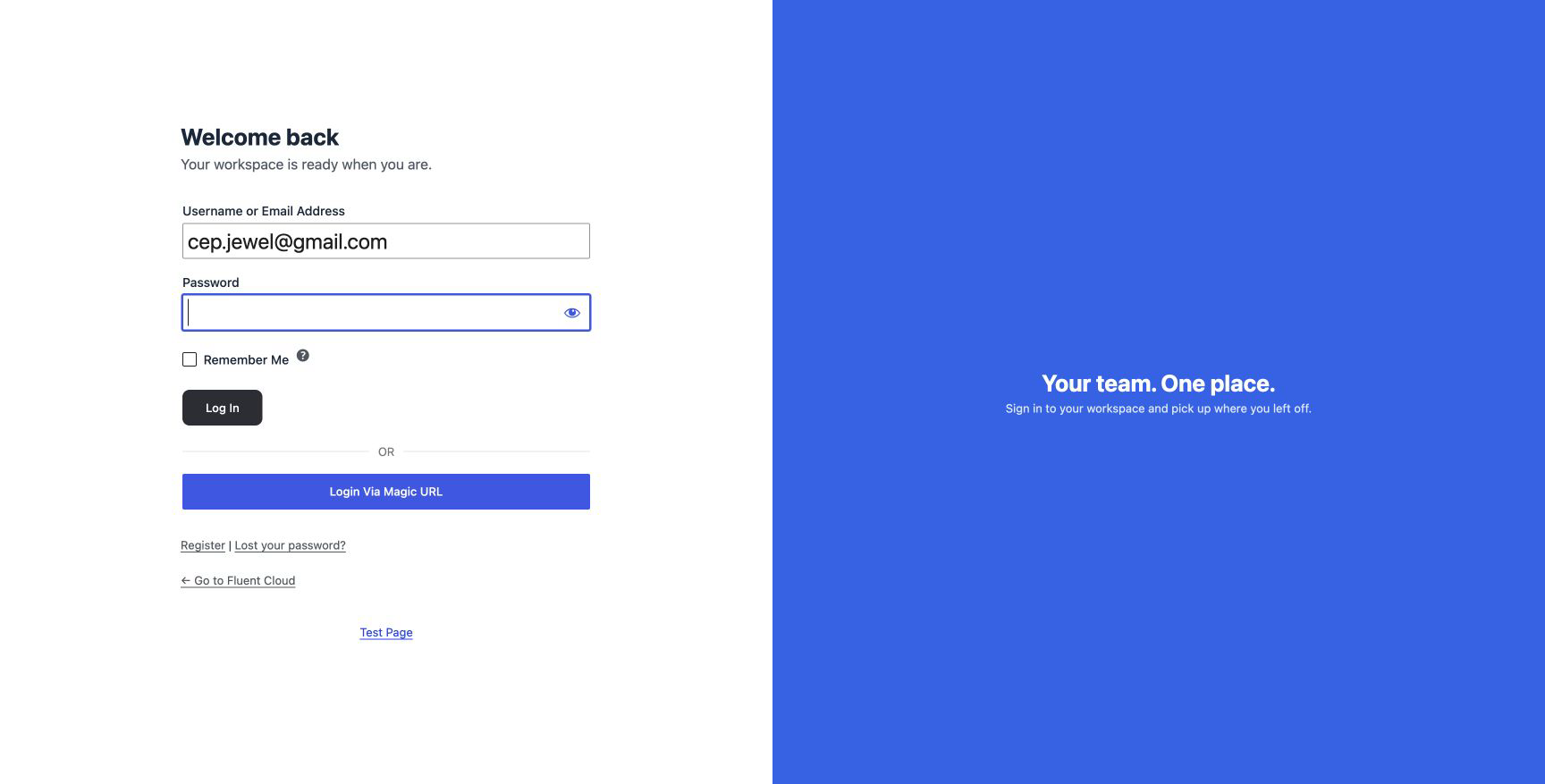

This example uses an AI-generated landscape and a custom wordmark, applied through the designer without custom CSS. The screenshots are captures of the actual public forms. Preview both pages after saving to check the live result.
You can try the same artwork with the landscape background and Fieldnotes logo, then replace the copy and images with your own brand.