← All features
Magic login links

A sign-in link, straight to their inbox.

Let users request a one-time email link when they want to enter your site without remembering a password.

Available in the current release.

How it works

From an inbox to your site

An existing user requests a link. Email delivery and access to the correct mailbox are part of this journey.

your-site.com/wp-login.php

Email me a sign-in link

Email address
alex@example.com
From login form to inbox

The user enters the email address or username associated with their account.

Why it matters

Occasional visitors should not have to reset a password every time.

A client who signs in once a month may spend more time recovering their account than using it. A one-time email link offers a direct route back when the password is forgotten.

How it helps your site

A limited-use link to the account’s inbox.

FluentAuth emails a time-limited sign-in link that cannot be reused after it is consumed. Mailbox security and dependable delivery matter. If the role requires device verification, that challenge remains in the journey.

What you gain

Help people return without another password reset, while retaining required device verification.

Get FluentAuth →
Inside FluentAuth

See the controls behind the experience.

Available in the current release.

Follow the setup guide →
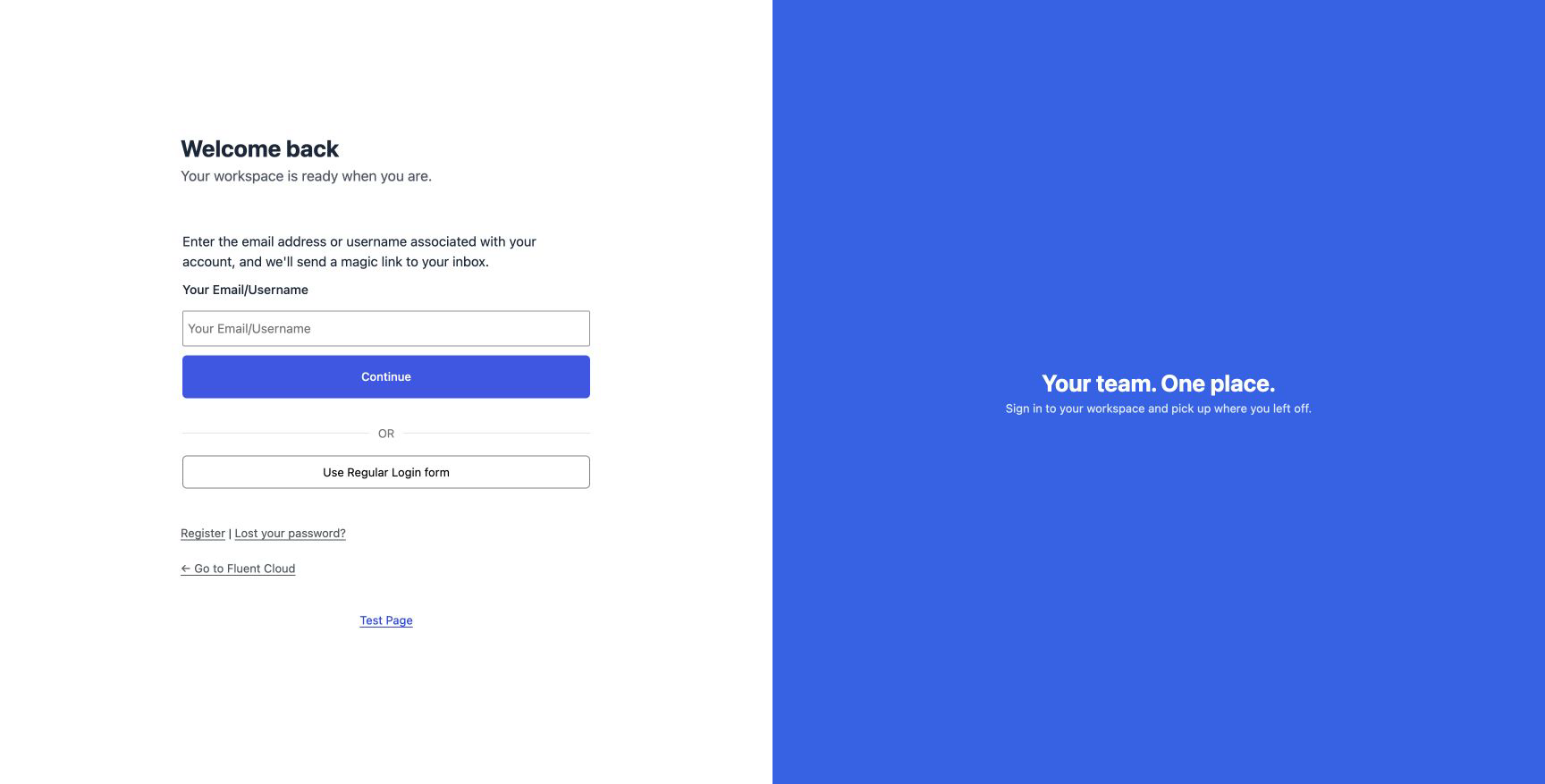
The magic-link request form on a customised WordPress login page.
The magic-link request form on a customised WordPress login page. Select the image to view it full size.

How a magic login works

  1. The visitor requests a link from the magic-login form.
  2. WordPress emails a time-limited link to the account’s address.
  3. The visitor follows the link to continue signing in. A used or expired link cannot be reused.

You can offer this option alongside your regular login form or place the magic-login shortcode on a page of your own.

Keep email delivery dependable

The experience depends on the message arriving promptly. Test delivery, spam placement and the link destination using a real test account before making this your main sign-in option.

What happens to two-factor authentication?

A magic link proves access to the mailbox. Asking for another code sent to the same mailbox would not add an independent factor. FluentAuth keeps a required device challenge, such as an authenticator app or passkey, in the flow.

Make returning to your site easier.

Add magic login alongside your regular form and test the full email journey before inviting users to try it.