← All features
Notifications & reports

Stay aware without keeping the dashboard open.

Receive selected login and block alerts, plus scheduled summaries of authentication activity.

Available in the current release.

How it works

From an event to your next action

Follow a sign-in alert for a role you have chosen to monitor.

your-site.com/wp-login.php

An administrator signs in

Alex · Administrator
Login successful
From site activity to your inbox

A user in one of your selected roles successfully signs in.

Why it matters

Important activity should not wait for your next dashboard visit.

An unexpected administrator sign-in may deserve attention now. Routine activity may be better reviewed together. A useful alert policy distinguishes the two.

How it helps your site

Bring relevant events to the person who can respond.

FluentAuth can send selected login and block alerts, plus scheduled summaries. Notifications help shorten the time between an event and a review. They do not block an event or investigate it for you.

What you gain

Stay aware of your site’s activity without repeatedly opening the log.

Get FluentAuth →
Inside FluentAuth

See the controls behind the experience.

Available in the current release.

Follow the setup guide →
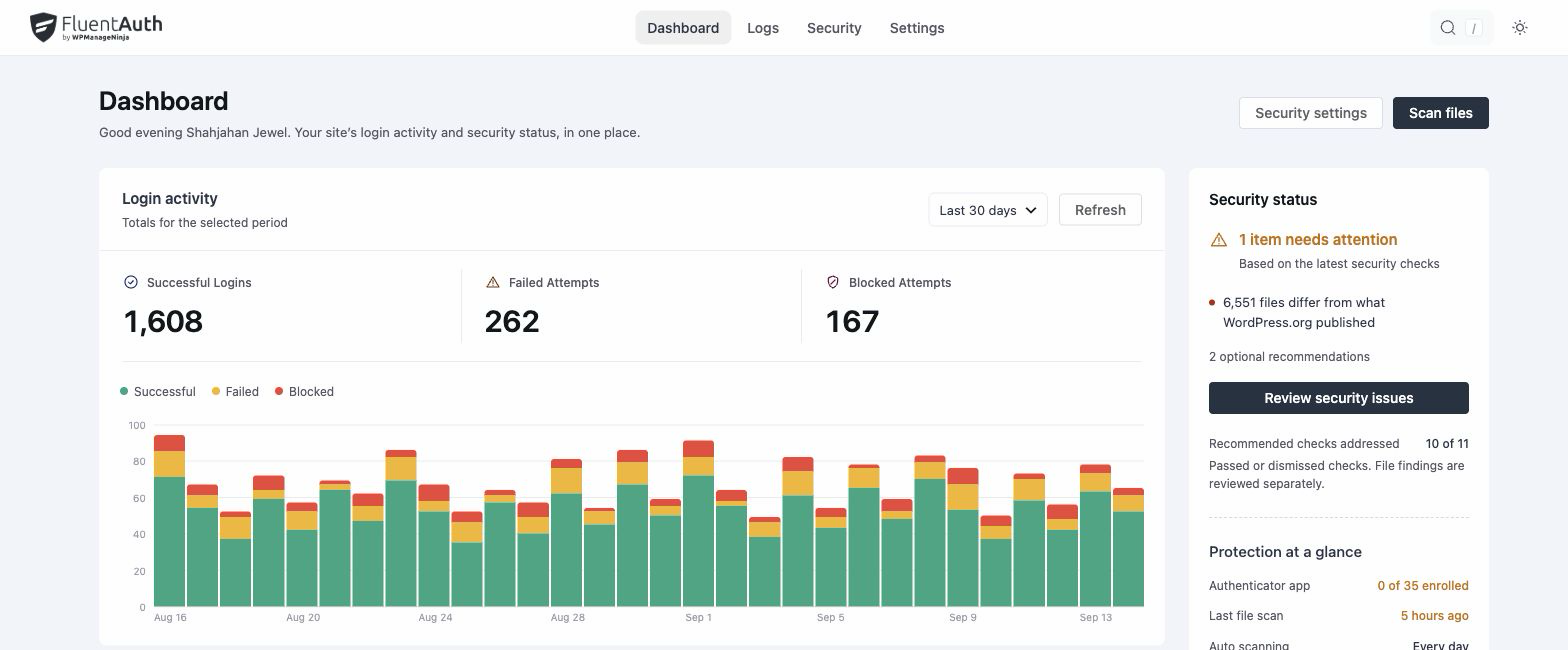
FluentAuth dashboard showing a summary of login activity.
FluentAuth dashboard showing a summary of login activity. Select the image to view it full size.

How to set useful alerts

  1. Select the roles whose sign-ins you want to hear about and enable block alerts if needed.
  2. Choose the recipients responsible for reviewing those messages.
  3. Set a digest frequency that matches your maintenance routine.

Block notifications are sent per block rather than for every failed guess. Digests summarise activity so you can spot patterns and return to the detailed log when needed.

Match alerts to a real review habit

A small site may need immediate administrator alerts and a weekly digest. A busy editorial team may prefer fewer routine messages. Choose settings that leave important emails noticeable, and make sure someone owns the follow-up.

Do file-change alerts use the same setting?

File monitoring has its own alert configuration. Login notifications use WordPress mail, so test delivery to the selected recipient before relying on them. An alert is a prompt to investigate, not a conclusion that an account is compromised.

Keep the right people informed.

Choose the events that matter, assign recipients and test delivery before relying on alerts.