The attempt limit reacts to behaviour. IP access rules are for what you already know: the office address that should never be rate-limited, the range that should never reach the login form, the role that should only ever sign in from the VPN.
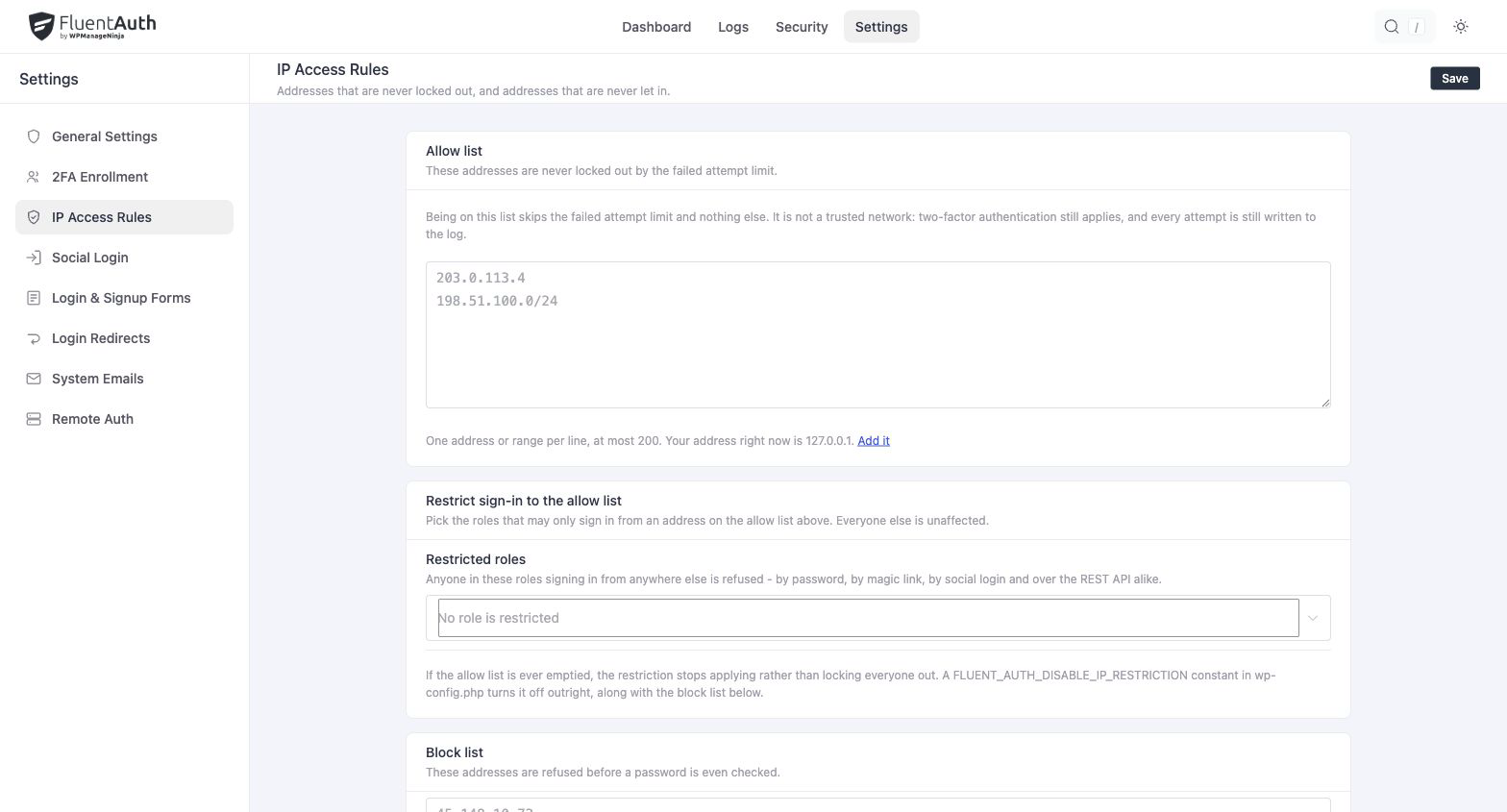
Two lists, two meanings
Under Settings → IP Access Rules:
| List | Effect |
|---|---|
| Blocked addresses | Logins from these addresses are refused before the password is checked. They are still logged, with status blocked |
| Allowed addresses | These addresses are exempt from the attempt limit. Nothing else changes: they still need the right password and their second factor |
The allow list is not a trusted network. It stops the limiter from counting against you; it does not make an address a substitute for a password or a code.
Each list accepts IPv4 and IPv6, as single addresses or CIDR ranges, up to 200 entries. An
allow-list range cannot be broader than /16 for IPv4 or /32 for IPv6, because a rule that
exempts a whole provider from rate limiting would do the opposite of what the list is for.
Restricting roles to the allow list
Under Only let some roles sign in from allowed addresses, choose Restricted roles to make the allow list mandatory for those roles: an administrator signing in from an address that is not on the list is refused. It applies to social logins and magic links as well as the password form.
The rule fails open in two cases, on purpose:
- The allow list is empty. A restriction with no allowed addresses would lock every administrator out.
- The site’s visitor addresses are ambiguous, because it is behind a proxy that has not been declared. See Visitor IP and proxies. Until the proxy is declared, the plugin cannot tell your VPN from the proxy itself, and refusing everyone is worse than restricting nobody.
Emergency off switch
If a rule locks you out, add this to wp-config.php, sign in, fix the rule, and remove it:
define('FLUENT_AUTH_DISABLE_IP_RESTRICTION', true);It disables the block list and the role restriction. The attempt limit keeps working.