Make your WordPress login page feel like your site
Use your logo, welcome copy and colours, then connect the login experience with redirects and branded emails.
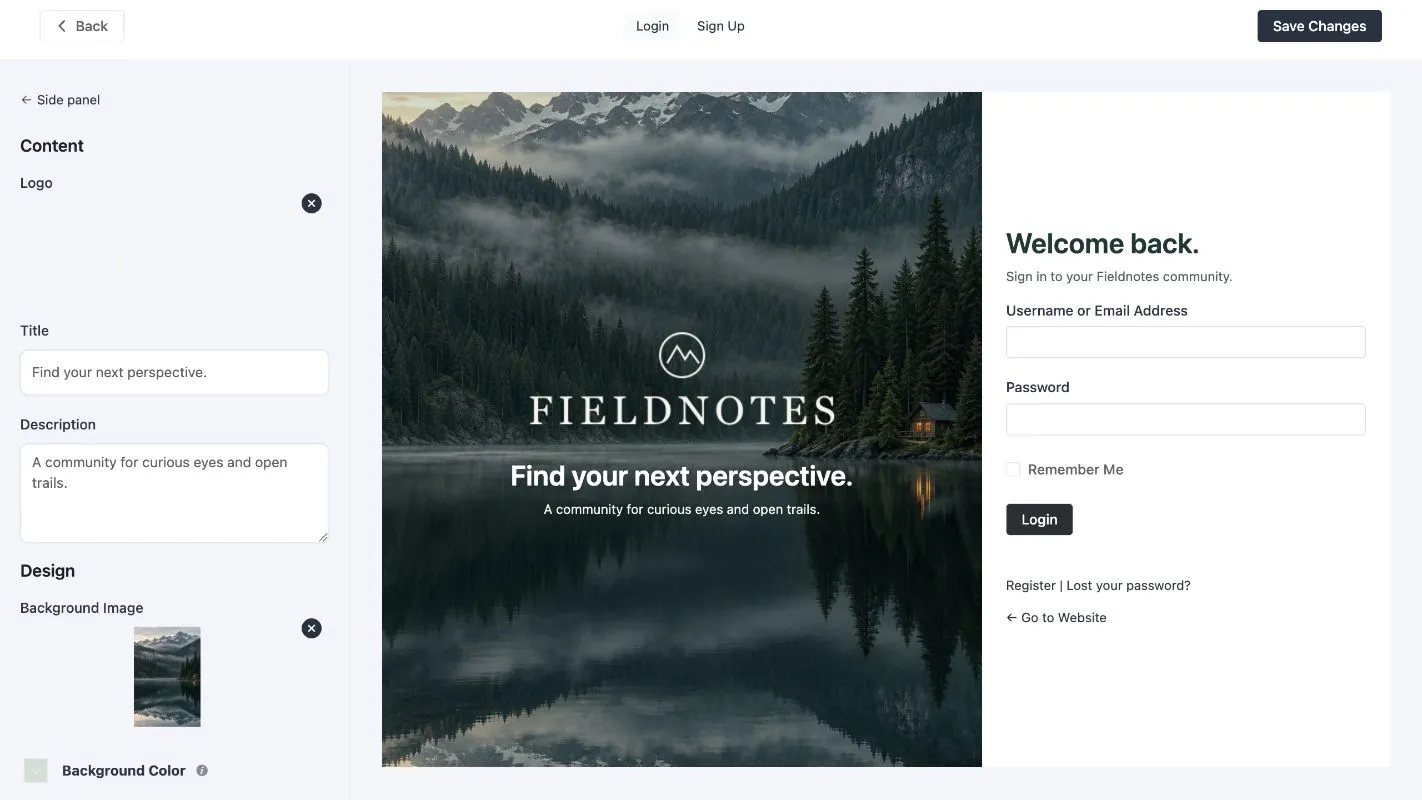
The login page is part of a member’s experience. FluentAuth’s free designer lets you give it your own logo, welcome copy and colours without writing a separate login template. The screenshots here show the admin redesigned in 3.0; the designer is also available in the public plugin.
Start with the purpose of the page
A customer needs to get back to an order. A student wants a course. A team member wants a workspace. Write a short welcome message that describes that destination, and keep the form labels familiar. The page should be easy to recognise and easy to use.
Open the designer
Go to Settings → Login & Signup Forms, enable Login page design, then choose Open the designer. Use the Login and Sign Up tabs to review both pages.
The Banner controls hold the logo, title, description, background and text colours. The Form controls handle the form’s own appearance and wording. Work with your real logo and test the contrast of text against any background image.
Use Save Changes when the preview is ready, then open the actual login page in a separate window. A preview is useful, but the live page is where other enabled login features appear.
Keep the whole journey consistent
Choose the sign-in options your users need. Magic links remove the need to remember a password. Social login offers Google, GitHub or Facebook once the provider is configured. The designer does not configure those providers for you.
Use login redirects to send members to their destination. Check the default and role-specific rules, including what happens after logout. Keep password-reset links and the registration path easy to find.
Customise system emails so the reset and welcome messages sound like the site too. Test delivery as well as appearance.
Check mobile and recovery flows
Open login, signup and password reset at a narrow width. Make sure your logo fits, text remains readable and important links are visible. Test any required second factor alongside the design.
You can turn the designer off to restore the default WordPress page while retaining the saved design. For forms embedded in an existing page, use the shortcodes instead. The designer documentation explains the available controls and CSS hooks.