Why we built FluentAuth
Most WordPress sites get broken into through the login page, and the plugins that guard it were slow, nagging or paid. So we built one that is none of those.

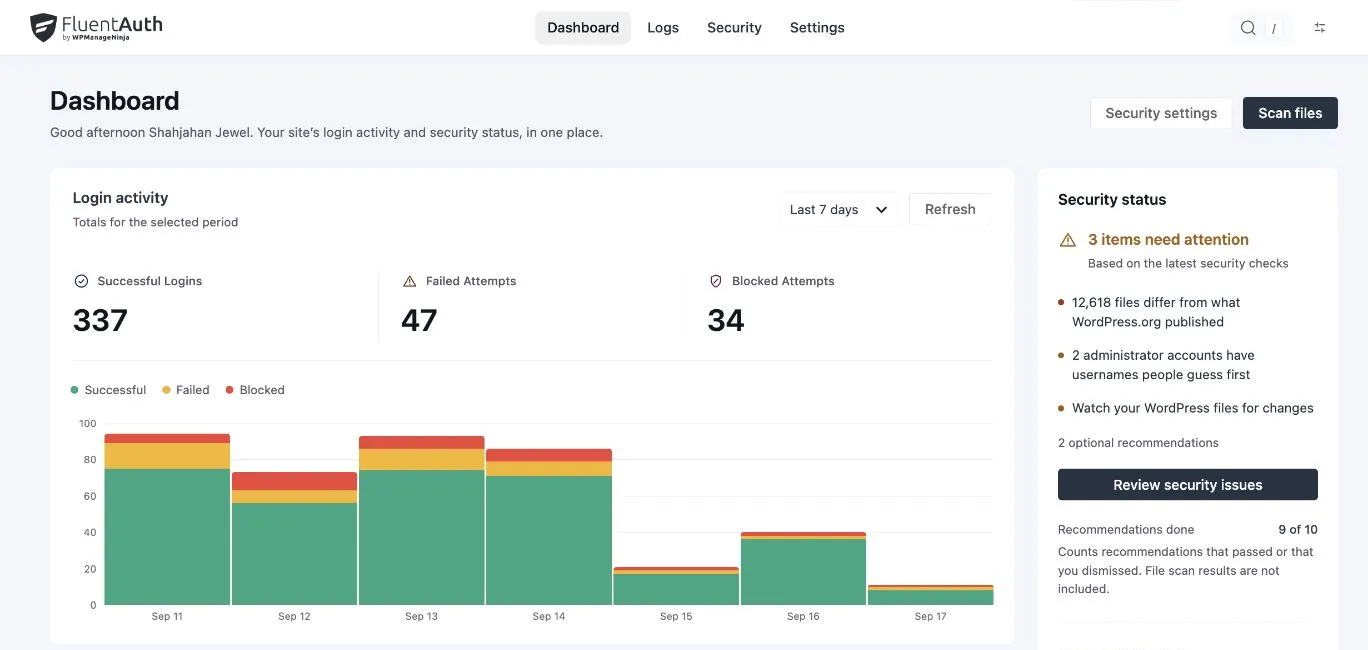
Every few weeks someone writes to our support desk with the same story. Their site is fine on Monday. On Wednesday there is a new administrator account they did not create, a redirect to a pharmacy site, and a hosting bill for the cleanup. When we look at the logs, if there are logs, the story is always the same too: thousands of failed logins from a handful of addresses, then one that worked.
The login page is the front door, and WordPress ships it unlocked. Five wrong passwords, five hundred, fifty thousand: WordPress answers each one the same way. The username is public, on the author archive and the REST API. XML-RPC lets one request carry hundreds of guesses. Nothing tells the site owner any of this is happening.
What people install instead
The usual fix is a stack of plugins. One to limit login attempts. One for two-factor authentication, often paid. One for social login, one per provider. One for login redirects. One to hide the admin bar from subscribers. Then a “security suite” on top that runs a firewall on every request, shows a score in red, and asks for money to make it green.
We run a lot of WordPress sites, our own and our customers’, and this stack has three problems we kept hitting.
It is slow. A firewall that inspects every request costs every visitor time, whether or not anything is being attacked. Two plugins that both hook the login flow do the same work twice.
It nags. Every dashboard has a banner. Every settings page has a locked tab. The score is designed to worry you into upgrading, not to tell you what is wrong.
It is more than the job needs. The jobs that actually stop the Wednesday story are small: count failures per address and stop answering; ask for a second thing besides the password; write down who got in and tell the owner. None of that needs a firewall.
What we wanted
A plugin that does the login-side jobs completely, does them fast, and stays out of the way. Specifically:
- Limit attempts per IP address, with the two numbers that matter and no others.
- Two-factor for the roles that need it, and no one else.
- Passwordless and social login, because fewer passwords means fewer resets, and password resets are where members give up.
- Redirects by role, because a customer should land on their account and an editor on the posts list.
- An audit log that says who got in and how, in its own table, so it never bloats
wp_options. - Email alerts when an administrator signs in or someone is blocked, and a weekly digest so a quiet site stays quiet.
- The hardening switches that close the doors WordPress leaves open: XML-RPC, public usernames, application passwords.
- Focused security work. No PHP firewall or file scan on every page view. Enabled login features can load scripts and styles where they are used.
The plugin is available at $0, GPL licensed and on GitHub. We make our living from FluentCRM, Fluent Forms and the rest of the Fluent plugins; the login page is something every site needs locked, and we did not want to be one more company charging for a lock.
How it is built
The same way we build everything: a small PHP core on WordPress’s own hooks, custom tables for the logs, and a Vue admin app that talks to the REST API. The settings screen loads in one request. The plugin adds nothing to the pages your visitors see.
Since the first release we have added social login for Google and Facebook alongside GitHub, a login page designer, customisable system emails and a core file integrity scanner. The next release brings authenticator-app two-factor, IP access rules, and a single findings screen that lists what is wrong with a site and fixes each item with one button. The shape has not changed: the login-side jobs, done completely, in one light plugin.
If your site’s front door is still unlocked, install FluentAuth. It takes five minutes and the first-day setup guide walks through the rest.
The next step
FluentAuth 3.0 added passkeys, authenticator apps and a redesigned security workflow, while keeping the plugin free.