Should you disable XML-RPC on your WordPress site?
Understand what XML-RPC does, what FluentAuth changes and how to test connected services before restricting it.
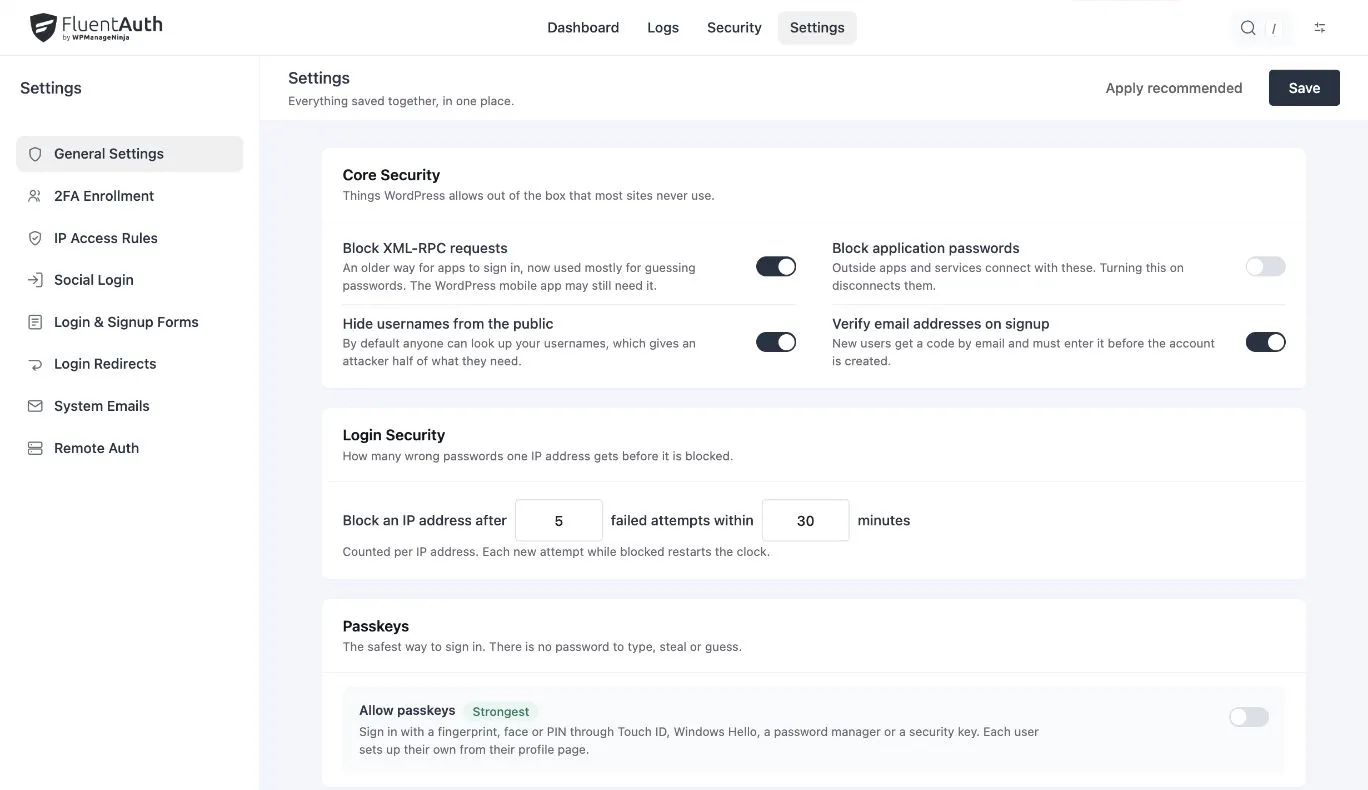
A hardening checklist may tell you to disable XML-RPC. Before changing the setting, find out whether a connected service uses it and what your security tool means by “disable”. A label alone does not tell you which requests the server will refuse.
XML-RPC provides an interface for remote software to communicate with WordPress. It is separate from the REST API. Your site’s integrations, rather than the age of the interface, should determine whether it is still needed.
Start with the connections you use
List remote publishing applications and management services. Ask the maintainer which interface each uses, and check the service’s current documentation. Avoid assuming that every external tool uses XML-RPC, or that none does.
For a business site, define a practical check before changing anything. If a tool publishes content, test a draft. If a service manages the site, test the operation you rely on. Use staging when it can represent the connection accurately.
What FluentAuth’s setting changes
In 3.0, the Core Security switch uses WordPress’s xmlrpc_enabled filter to refuse methods controlled by that authentication setting. It also removes the pingback.ping and pingback.extensions.getPingbacks methods and the advertised X-Pingback header.
WordPress explicitly documents that the filter does not disable every XML-RPC function. It governs methods requiring the server’s authentication check. Other methods, including methods registered by plugins with their own authentication, require separate consideration.
That distinction matters when testing. Receiving any response from xmlrpc.php does not by itself prove that the login-related protection failed. Conversely, turning on the switch is not a claim that the web server rejects every request to that path.
Choose the scope your site needs
| Requirement | What to review |
|---|---|
| No known XML-RPC dependency | Test FluentAuth’s restriction and verify essential connections |
| A service needs XML-RPC | Check its current requirements and test the specific operation |
| Every request to the endpoint must be rejected | Coordinate a server or edge rule with the host and integration owners |
An endpoint-wide block can break a service that needs the endpoint. A host-level decision should include the person responsible for those services and a way to reverse the rule if the test fails.
Make one change and verify it
Keep an administrator session available, change the intended setting and repeat the operations identified earlier. Review application errors as well as the WordPress screen. Test from the client that actually uses the connection.
If a required operation fails, restore the previous configuration while you investigate. Record which service depended on it. That note makes future security reviews more useful than repeatedly toggling the same setting.
Keep the rest of the login policy intact
Restricting one interface does not replace account verification, updates or activity review. Continue to use appropriate two-factor authentication and attempt limits for supported sign-in paths.
The Core Security guide explains related controls, including application passwords and visitor-address handling, so you can make each decision separately.